How to find your Gigs Travel eSIM details
Last updated: January 29, 2026
This guide explains how to view important details for your Gigs Travel eSIM perk, including your remaining data and your Subscription ID.
Your Subscription ID is especially important if you ever need help from our team, as it allows us to quickly locate your account and take action.
Use this guide if you want to:
Check how much data you have remaining
Find your Subscription ID
Share the correct details when reaching out to our team
Why your Subscription ID matters
When you contact us, providing your correct Subscription ID helps our team:
Identify your account accurately
Troubleshoot issues more quickly
Issue eSIM replacements to the correct subscription
Sharing the Subscription ID exactly as shown in your app helps avoid delays.
Where to find your Subscription ID
You can locate your Subscription ID directly in the Wealthsimple app.
Steps
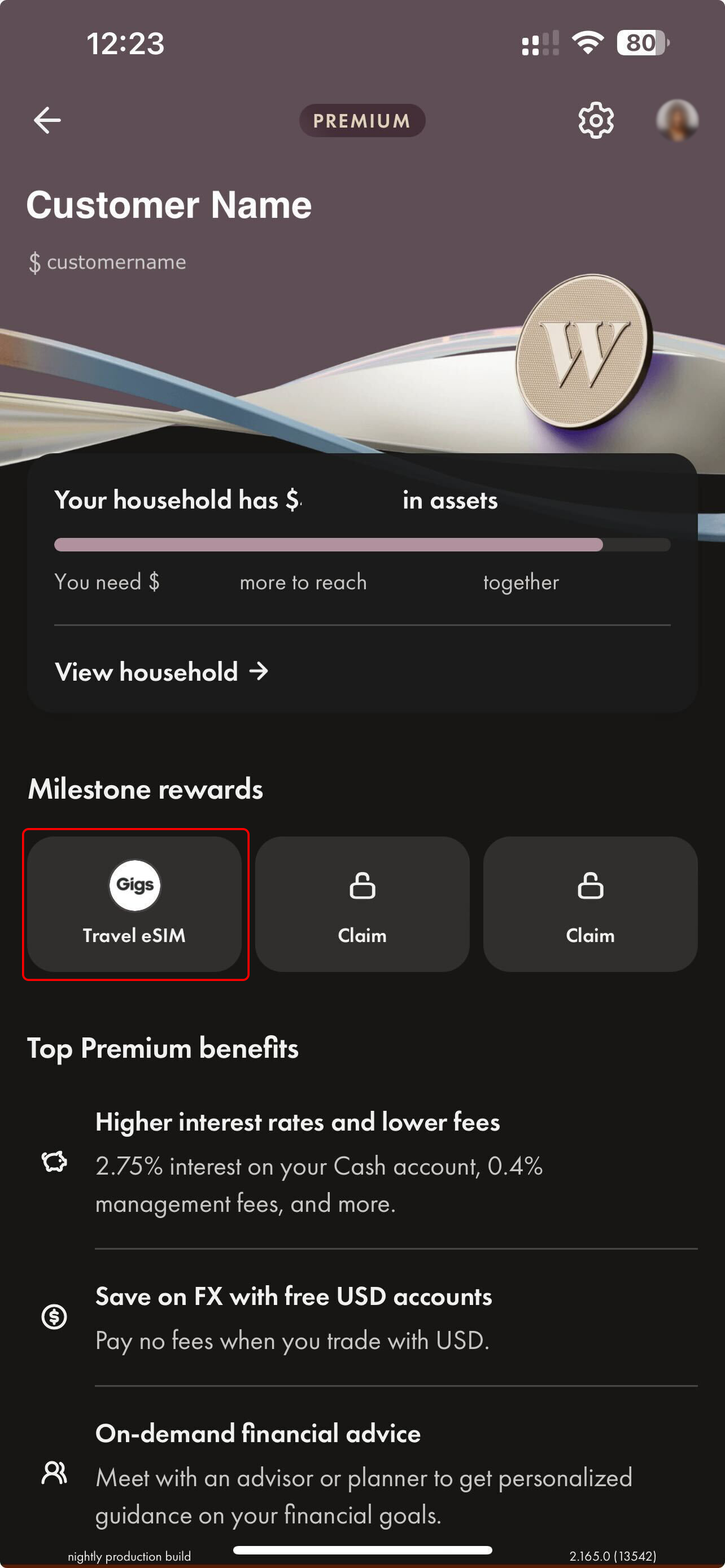
Open the Wealthsimple app.
Navigate to your Gigs Travel eSIM perk.
Tap into the perk to view your subscription details.
What you’ll see in the perk
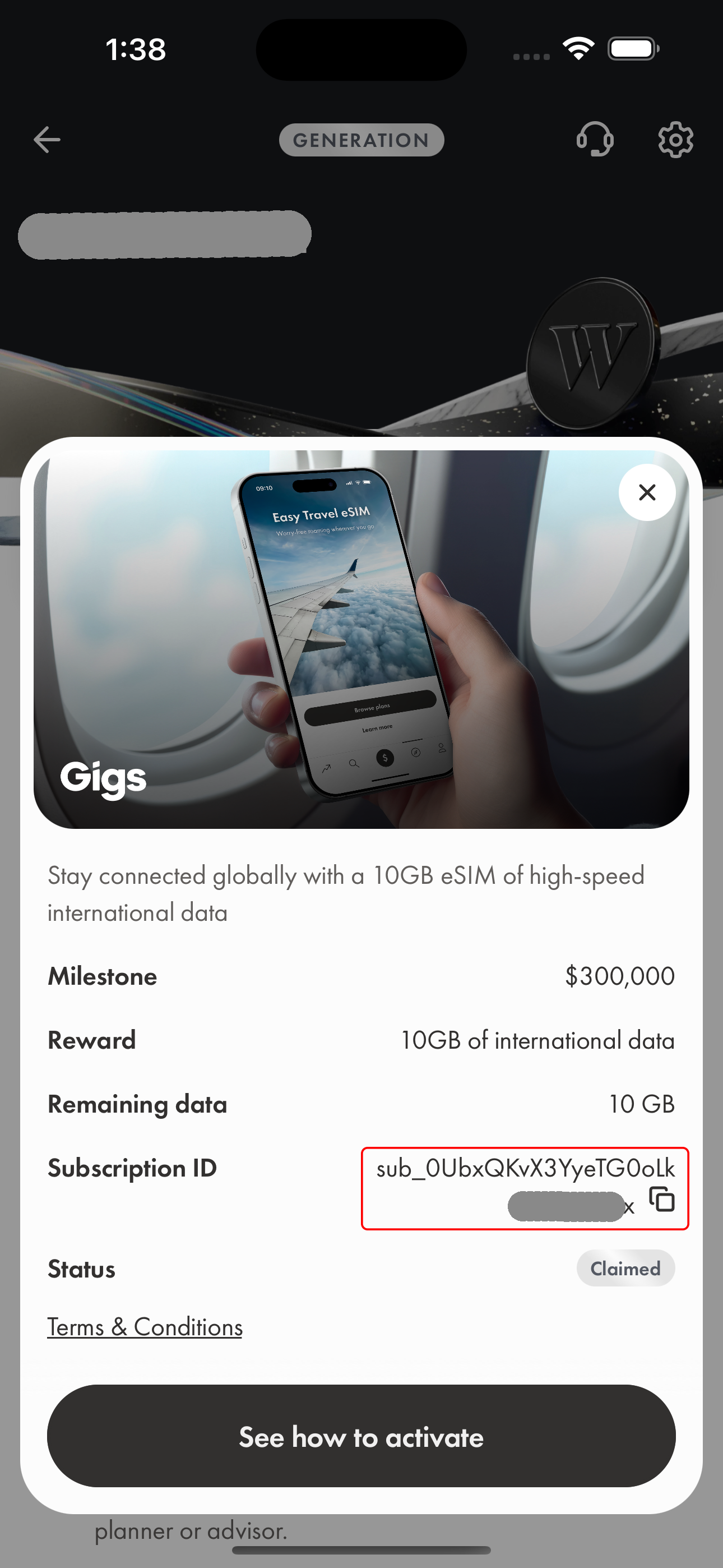
Once you’re inside the Gigs Travel eSIM perk, you’ll be able to view:
Your milestone
The reward you claimed
Your remaining data
Your Subscription ID
Your reward status
Important note
When sharing your Subscription ID with our team, be sure to copy it exactly as it appears in the app, including all characters. This ensures we can assist you as quickly as possible.